
How to claim and manage your organization’s listings
Veterans Directory stays accurate because the organizations listed here keep their own listings current. Claiming takes a few minutes, and one account can manage every listing your organization has.
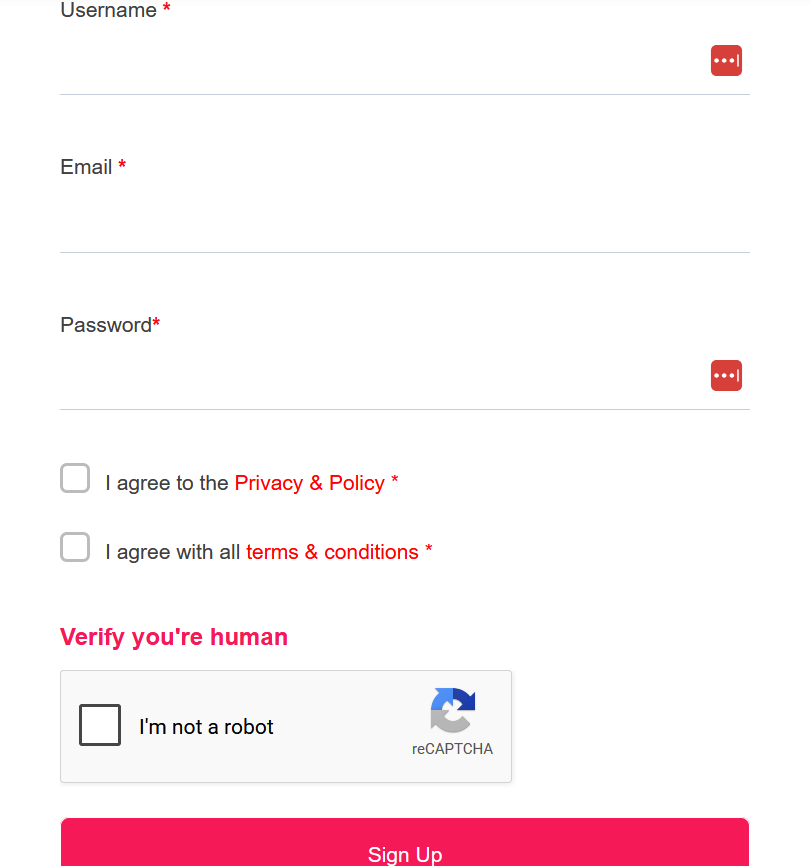
Step 1: Create your account
Click Sign In at the top of any page, then Sign Up. Choose a username, enter your work email and a password, agree to the terms, and click Sign Up.
Step 2: Verify your email
We’ll send a verification link to the email you used. Click it to activate your account, then sign in.
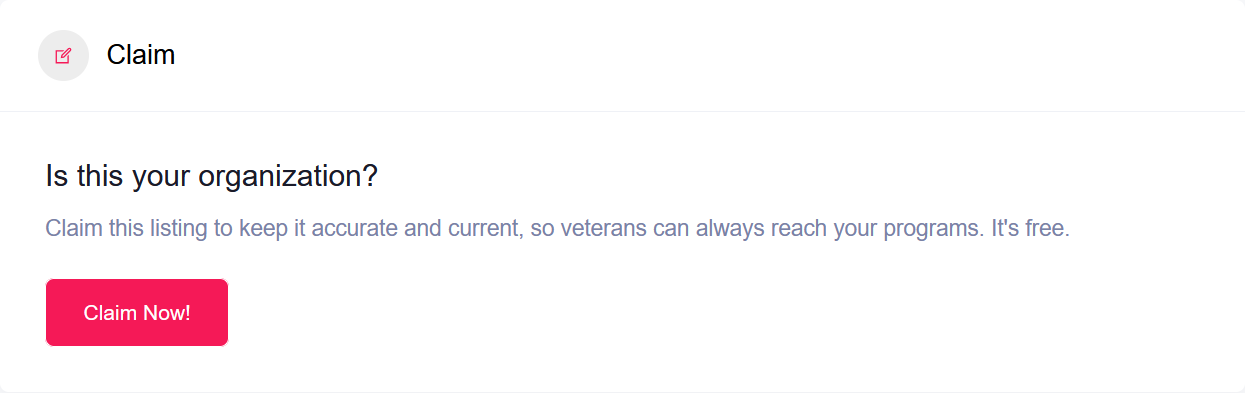
Step 3: Find your listing and click “Claim Now”
Search for your organization or program, open its listing, and scroll down to the Claim section. Click Claim Now!
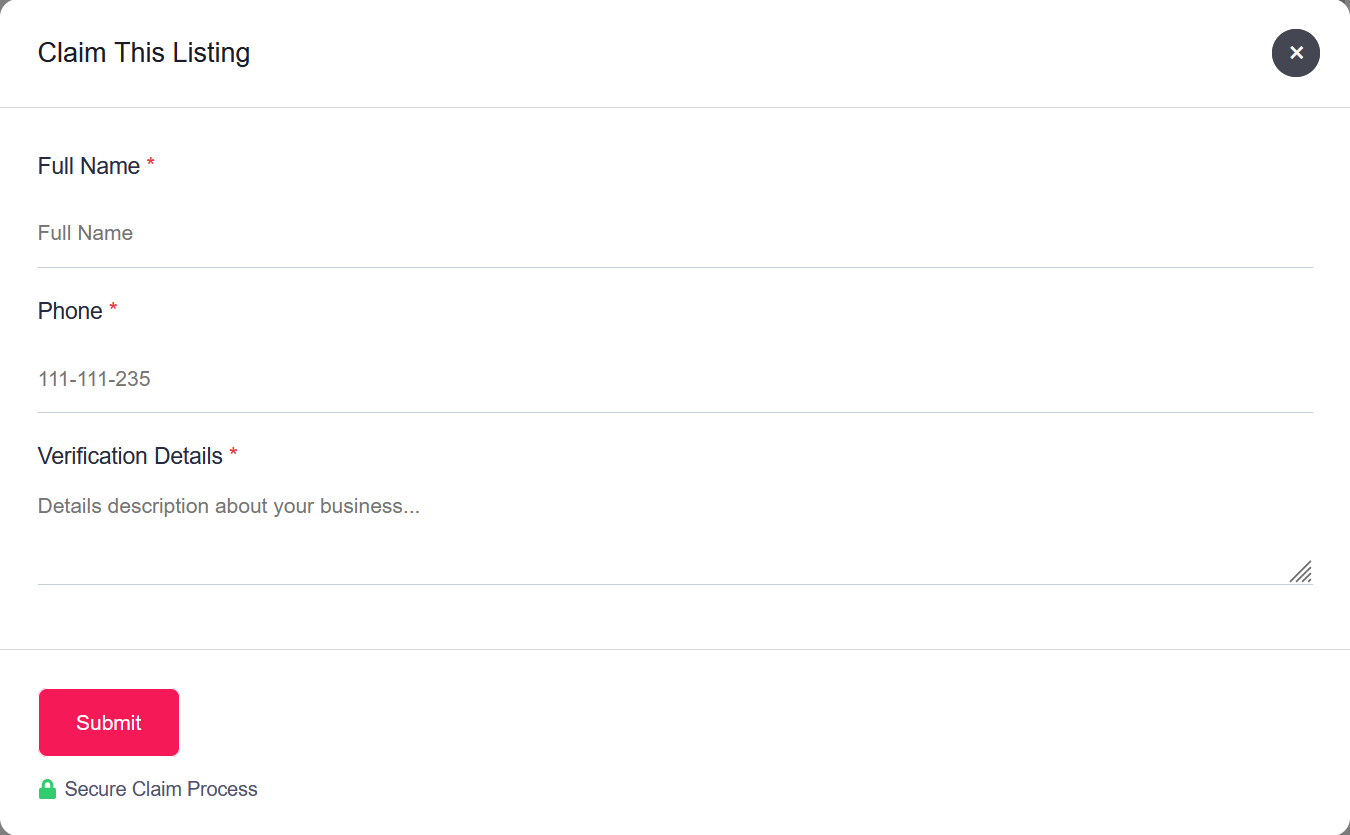
Step 4: Fill in the claim form
Enter your name and phone number. Under Verification Details, tell us your role at the organization and how we can confirm it — for example, your work email address or the page on your website that lists you. Then click Submit.
Step 5: Repeat for each of your programs
If your organization has several programs listed, claim each one from the same account. Once approved, they all appear together in your dashboard.
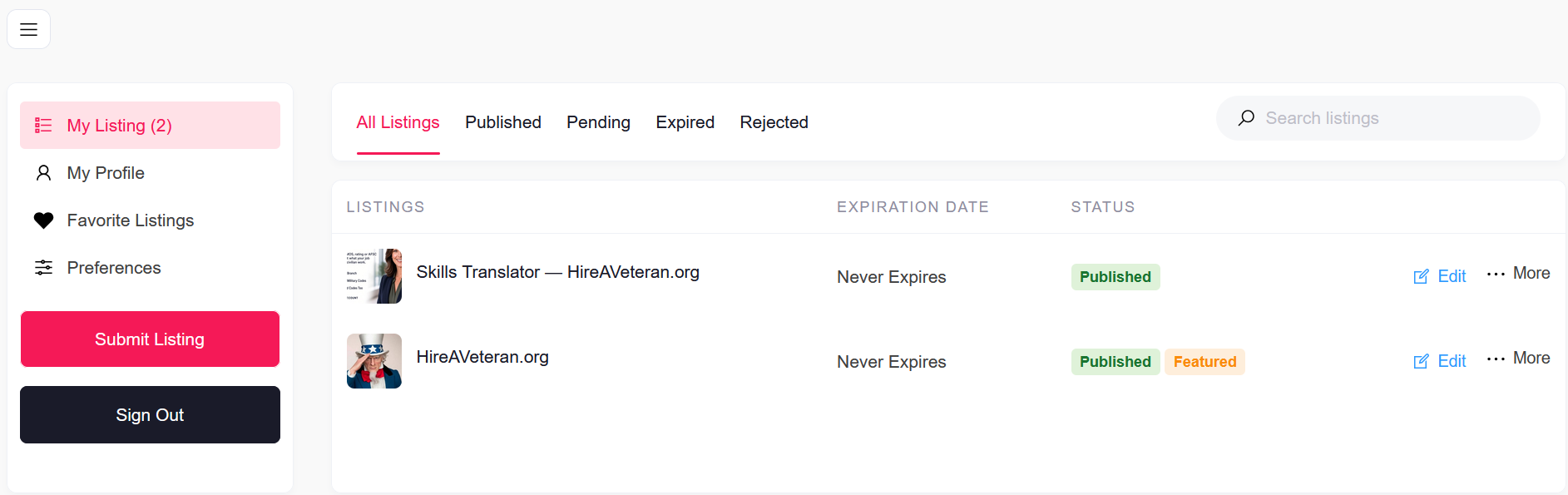
Step 6: Keep them current from your dashboard
After we approve your claim, you’ll get an email confirming it. Sign in and go to your Dashboard to see all your listings in one place and click Edit on any of them.
Is a program missing?
From your dashboard, click Submit Listing to add it. New listings are reviewed before they go live.
A few guidelines for each listing
- Link to the program, not just your homepage. Each listing should take a veteran straight to that program’s own page.
- Categories and tags: choose only the ones that genuinely fit the program.
- Excerpt: one clear sentence, about 150 characters, saying what the program does.
- Description: two or three short paragraphs covering what the program offers, who qualifies and how to apply.
- Logo: upload under Media, ideally 480 x 350 pixels and under 2 MB.
Questions? Contact us and we’ll help.